WhatsApp is popular free messaging client which is available for iOS, Android, Nokia and Blackberry, but still we have no client for Windows PC officially released by the WhatsApp team. Well you can imagine having WhatsApp on your PC and how fast you will be able to send and receive text messages as you always be on one device so you can handle everything right there. So we found an unofficial client which is supposed to be a dummy version of Android running on your PC.
BlueStacks App Player Android Emulator :
BlueStacks App Player helps you install WhatsApp and thousands other application because its an Android operating system running on your Windows PC. Now obviously its not like you will get that same kind of experience you can do with a touch phone and Android installed on it but still if you are a WhatsApp fan than I must that this software is must for you because WhatsApp experience on this one is simply unbelievable faster texting and media exchanging.
Steps to Install WhatsApp on BlueStacks App Player :
So if you are interested in using WhatsApp right on your PC that you can grab some installation knowledge from below and start experiencing right now.
2. After you have downloaded the above software, start installing it and it will start downloading its package from the internet, it will take some time so sit back and have a cup of coffee.
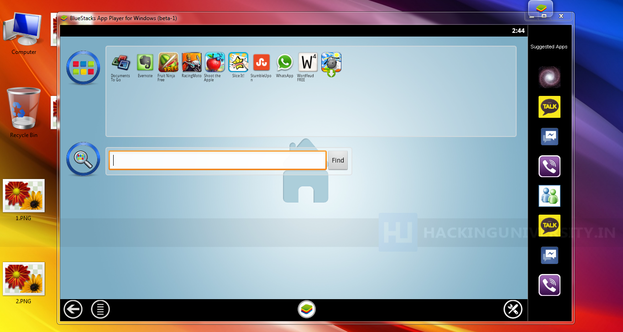
3. So after downloading it will install and now you will see their user interface, now you have to sign up for your new account or if you already have their account than you can login.
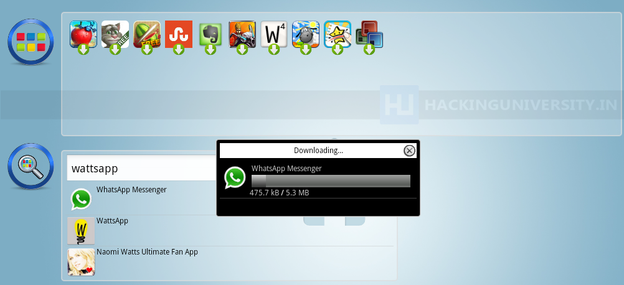
4. Now just search for the WhatsApp like in the above image or find it from the popular downloads hovering right above in the Rocket Dock, after you find it click on it and it will start downloading the app.
5. After WhatsApp is installed click on it and you will see a Terms and Conditions page where you
have to click on Agree and than you will be on their main phone verification page.
6. Now just select your country and than insert your mobile number and than click on OK.
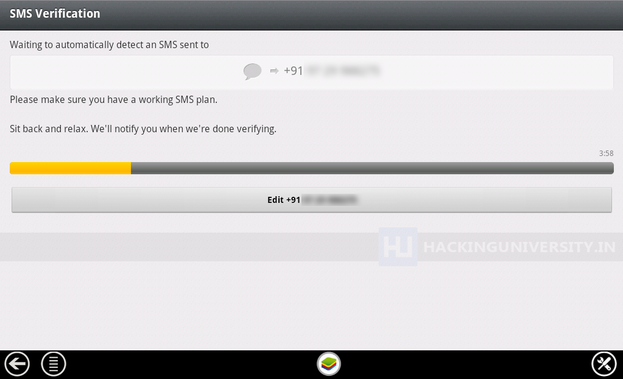
7. Now it will start the process of sending you the verification message on your mobile, if that thing fails you also have an option to call your number for the verification message. So now just insert that code and click on OK boom you have successfully activated your WhatsApp messenger on your Windows PC.
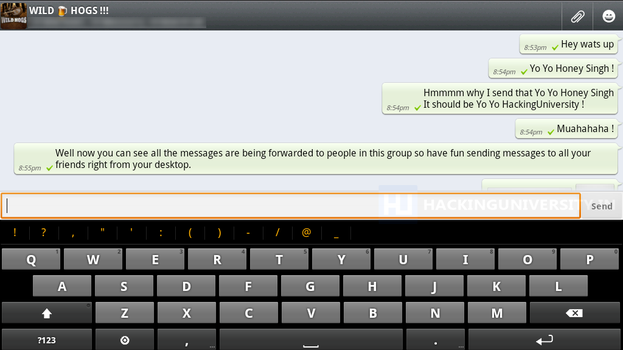
8. So now WhatsApp is ready for some action, select your already created groups, if you were having one on your mobile or you can start sending text or media messages to your friends and create another new group, so I was just messing around my group Wild Hogs, and tried sending some messages and delivery was amazingly fast and responsive.
So now enjoy WhatsApp on your Windows PC with this amazing BlueStacks App Player, well you can also download and install other amazing Android Application which you can search and than download, hope you liked this lengthy tutorial, please share it with all your friends.
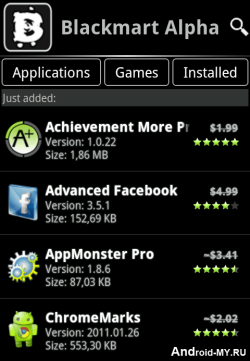 Black Market is another similar application to Applanet which we posted earlier and allow you to download thousands of Android Applications and Games right to your device that too for free. It’s a simple .apk app which you can transfer to your device and than install it in a normal way.



 Android is one of the best OS available right now as its is owned and developed by Google. Now all the latest phones comes with this new OS preinstalled in them and its really awesome. You have many apps and games which you can play on your smart phone but the thing is that many good ones are paid, so to get those paid ones you have to link your debit card than pay them and than you can enjoy those games or you can simply install a simple app with which you can download those apps for free of cost.